
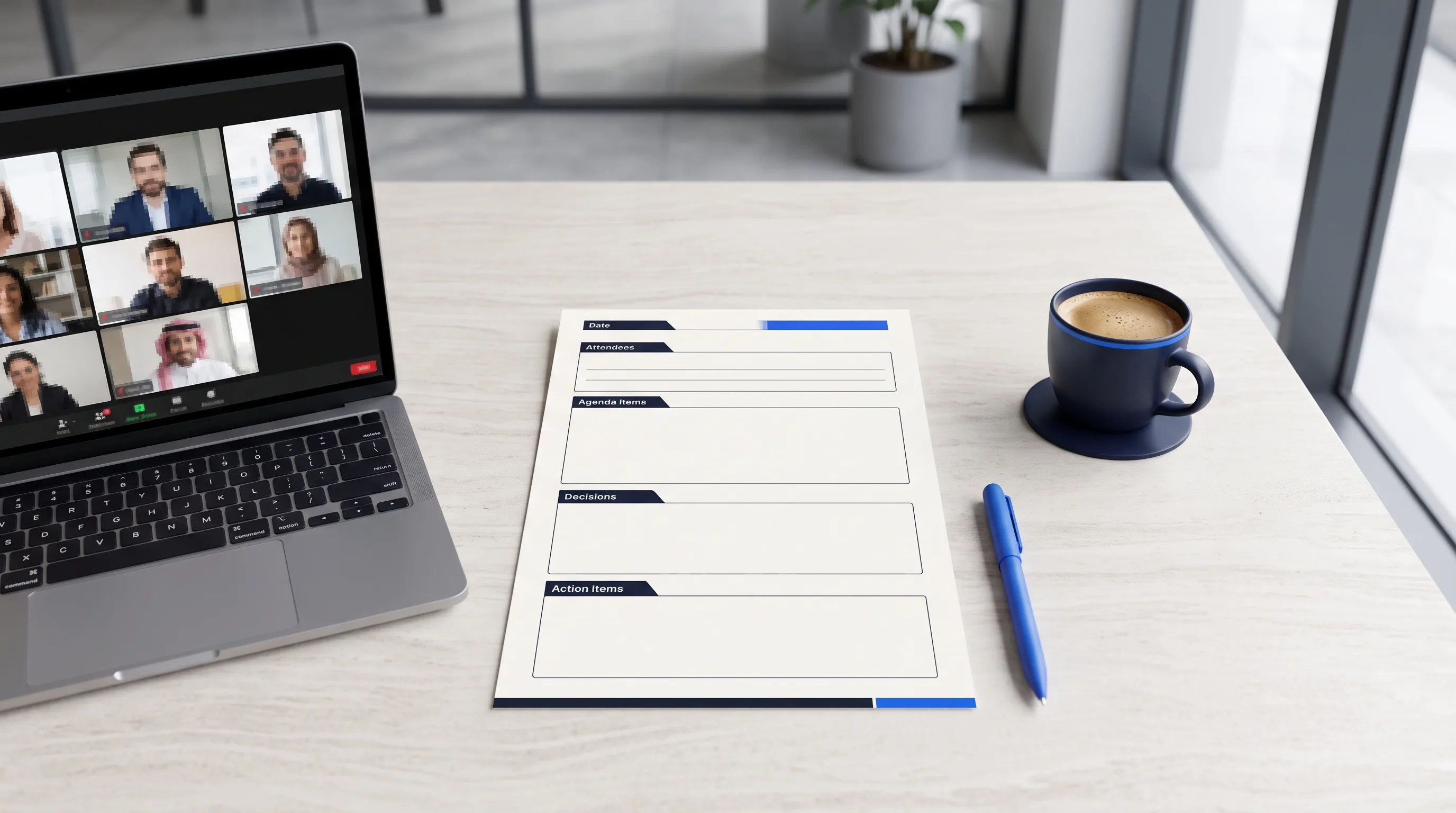
Meeting minutes are the written record of what a meeting decided and assigned — not a transcript of everything said. To do them well, follow four phases: prepare a template from the agenda before the meeting; during it, capture decisions, action items (with an owner and a deadline), and who attended; after it, format the notes into a clean document within 24 hours; then distribute for approval. The single most common mistake is recording discussion instead of decisions. Good minutes answer one question for anyone who reads them later: what did we decide, who owns what, and by when? Everything else is noise. This guide gives you the standard format, a step-by-step method, a free copy-paste template, and an honest answer on whether AI can do it for you.
For Arabic-language teams, there is a native Arabic version of this guide: نموذج محضر اجتماع وطريقة كتابته.
What meeting minutes are (and why they matter more in 2026)
Meeting minutes are the official, operational record of a meeting: who was there, what was decided, what was assigned, and what happens next. They are not a courtesy document. In a UAE or Saudi corporate context they are the artifact a board, an auditor, or a client points to when a decision is disputed months later — "we agreed this was in scope," "the deadline was the 15th," "that risk was raised and accepted." If it is not in the minutes, in practice it did not happen. That is also why minutes carry weight under Saudi PDPL and audit requirements: they are part of the evidence trail showing a real human made and approved a decision. In 2026, with AI drafting more of this record, the question of who confirmed it matters more, not less.
For an agency or consultancy the stakes are direct. Roughly half of all projects hit scope creep, and the firms that lose money to it — typically a few thousand dollars a month — are almost always the ones whose meeting record was a WhatsApp thread, not a confirmed minute. The minute is your scope-creep insurance.
What to include: the 7-element format
Every set of usable minutes contains the same seven elements. Miss one and the record has a hole someone will fall into later.
| Element | What to write | Example |
|---|---|---|
| Header | Meeting title, date, start/end time, location or video link | "Q3 Scope Review — 29 Jun 2026, 2:00–2:45 PM, Google Meet" |
| Attendees | Who was present, who sent apologies | "Present: Sara (PM), Khaled (client). Apologies: Mona" |
| Agenda items | A one-line summary of each topic discussed | "Item 2: Phase-two module list" |
| Decisions | Exactly what was decided, and why, per topic | "Decided: inventory module moves to Phase 2 (budget cap)" |
| Action items | The task, the owner, the deadline — all three | "Sara to send revised SOW by 3 Jul" |
| Risks / open items | Anything raised but not resolved | "Risk: go-live date depends on client data export" |
| Next meeting + approval | Date of next meeting; who approves these minutes | "Next: 6 Jul. Approved by: Khaled" |
The two load-bearing rows are decisions and action items. A minute with ten paragraphs of discussion but no clear owner-and-deadline line is a worse record than three clean action items. Write the verdict, not the debate.
Step-by-step: how to write meeting minutes
Here is the method that produces clean minutes every time, broken into before, during, after, and distribute. This is the part the search results compress into "7 steps" — the steps only work if you separate capturing from formatting.
- Before — build the skeleton from the agenda. Open your template and pre-fill the header, the attendee list, and one heading per agenda item. Now you are filling a structure, not writing from a blank page.
- During — capture decisions and actions, not sentences. For each agenda item, write only what was decided and what was assigned. Use a consistent action-item format: task — owner — deadline. Do not transcribe; you will lose the decision while typing the discussion.
- During — flag risks and open items as you go. When something is raised but not resolved, drop it under "open items" immediately so it is not forgotten.
- After — format within 24 hours. Memory fades fast; the same-day write-up is always more accurate. Turn your rough capture into the clean 7-element format above.
- After — verify the decisions against what was actually said. This is the step everyone skips and the one that matters most. Confirm each decision and action against the recording or your notes before you send. An unverified minute is just a guess with a letterhead.
- Distribute — send promptly for approval. Send within a day, ask the chair or client to approve, and note any correction. Approval is what turns a draft into the record.
- Store — keep the minutes findable and dated. A minute you cannot retrieve in a dispute is a minute you do not have. Keep them in one place, searchable, with the source recording linked.
Free meeting minutes template (copy-paste)
Download the free template below (.docx — opens in Word or Google Docs) and start using it in your next meeting, or copy the field list here: header, attendees, agenda + discussion, decisions, action items (task — owner — deadline), risks / open items, next meeting + approval.
Keep one copy as your master template and start every meeting by duplicating it. Consistency is half the battle — the same structure every time means anyone on the team can read any minute in seconds.
Minutes vs notes: what is the difference?
People use the words interchangeably, but they are different artifacts. Notes are personal and informal — your own shorthand, for your own memory, no agreed format. Minutes are official and structured — the shared record of decisions and actions, written to a standard, approved by the meeting, and kept. Notes help you; minutes bind the group. The practical test: if two people who were in the room would disagree about what it says, it is notes. If it is the document everyone refers back to when there is a dispute, it is minutes. For any meeting where money, scope, or a deadline is on the line, you want minutes.
Can AI write meeting minutes? The honest answer
Yes, AI can draft meeting minutes, and in 2026 most teams should let it. Tools that record and transcribe a call — including ChatGPT's record mode, Zoom, Otter, Read.ai, and others — can turn an hour of audio into a summary with decisions and action items in seconds. That is a real time saver: manual minutes take 30–45 minutes to write up; an AI draft takes 2–3 minutes to review. But there is a catch that matters most for exactly the meetings where minutes are legally or commercially serious. An AI summary is the model's best guess at what was decided. It will occasionally invent a decision, miss an owner, or soften a deadline — and it does so in confident, clean prose that reads true. So the right method is not "let AI write the minutes" but "let AI draft, and have a named human confirm each decision against the recording before it becomes the record."
This is the gap Knowcap was built to close. Instead of producing one more AI summary you have to trust blindly, Knowcap extracts each decision, action, and risk from the recording, cites it to the exact timestamp it was said, and waits for a named person to confirm it. Once confirmed, the minute is not "what the AI thought" — it is what a human verified, with the receipt attached. For a board minute, a client SOW, or an audit record, that difference is the whole point: a regulator or a disputing client wants to know a real person stood behind the decision, not that a model summarized it well.
MENA specifics: Arabic minutes, signatures, and the audit trail
Two things make MENA meeting minutes different from the templates that rank on the global web. First, language: most real meetings in the UAE, Saudi Arabia, and Egypt mix Arabic and English in the same sentence, and most AI tools were trained on US English, so the Arabic spans degrade. Treat Arabic transcription as a capability to test on your own meetings, not a given — and keep your minutes bilingual if your team reads both. (The full Arabic guide and template is here: نموذج محضر اجتماع.) Second, the audit trail: under Saudi PDPL and standard audit practice, what matters is not just that minutes exist but that you can show who approved each decision and when. Minutes with a per-decision confirmation record — name, timestamp, source — are far stronger evidence than a document someone typed up after the fact. This is the same reason your audit plan is only as strong as the meeting behind it.
For Odoo partners: turn minutes into tracked tasks
If you implement Odoo for clients, your meeting minutes are where the project lives or dies — the scope decisions, the change requests, the go-live dates are all agreed in client calls and lost the moment the call ends. The useful move is to stop treating minutes as a document and start treating them as the source of your task list. Each confirmed action item from the meeting becomes a tracked task for your delivery team, with the owner and deadline already filled in from the minute. That is the workflow Knowcap is building for Odoo partners: meeting → human-confirmed decision → an Odoo task, so the thing the client agreed to and the thing your developer builds are the same thing, with a confirmation trail behind it for billing disputes. (More on why Odoo implementation projects fail in the meeting, not the code, and the partner workflow at knowcap.ai/for/odoo-partners.)
Common mistakes to avoid
- Recording discussion instead of decisions. The most frequent failure. Nobody re-reads ten paragraphs of debate; they look for the verdict and the owner.
- Action items with no owner or no deadline. "We should update the SOW" is not an action item. "Sara updates the SOW by 3 Jul" is.
- Sending late. Minutes sent a week later are half-forgotten and rarely corrected. Same-day or next-day, always.
- Shipping an unverified AI summary as the record. The fastest way to put a decision in writing that nobody actually made. Have a human confirm before it becomes official.
- Storing minutes where nobody can find them. A minute you cannot retrieve during a dispute does not protect you.
FAQ
What should be included in meeting minutes?
Standard minutes contain seven elements: a header (title, date, start and end time, location or video link); the attendees, including who sent apologies; a one-line summary of each agenda item discussed; the decisions made, with the reason for each; the action items, each with a task, an owner, and a deadline; any risks or open items raised but not resolved; and the next meeting date plus who approved the minutes. The two that carry the most weight are decisions and action items — a minute can be short on discussion summary and still be excellent, but a minute with no clear owner-and-deadline lines is a record with holes in it. Write the verdict and the assignment, not the debate. If money, scope, or a deadline was discussed, make sure each one appears as a decision or an action item with a name attached.
How do you write meeting minutes step by step?
Work in four phases. Before the meeting, build the skeleton from the agenda — pre-fill the header, attendees, and one heading per topic so you are filling a structure, not a blank page. During the meeting, capture only decisions and action items in a consistent task — owner — deadline format, and flag any unresolved risk under open items immediately; do not try to transcribe everything, or you will lose the decision while typing the discussion. After the meeting, format your rough capture into the clean seven-element document within 24 hours while it is fresh, and verify each decision against the recording or your notes. Finally, distribute promptly for approval and store the approved minutes somewhere searchable with the source recording linked. The separation between capturing during and formatting after is what makes the method reliable.
Can ChatGPT or AI write meeting minutes?
Yes. ChatGPT's record mode, Zoom, Otter, Read.ai, and similar tools can transcribe a meeting and produce a summary with decisions and action items in seconds, cutting a 30–45 minute write-up down to a 2–3 minute review. For routine internal meetings that is a clear win. The caveat is accuracy on the meetings that matter: an AI summary is the model's best guess and will occasionally invent a decision, drop an owner, or soften a deadline, in clean prose that reads as true. So the safe method is to let AI draft and have a named human confirm each decision against the recording before it becomes the official record. This is what Knowcap does differently — it cites every extracted decision to its timestamp and requires a person to confirm it, so the minute is verified rather than assumed. For board minutes, client SOWs, and audit records, that confirmation step is not optional.
What is the difference between meeting minutes and meeting notes?
Notes are personal and informal — your own shorthand, in any format, kept for your own memory. Minutes are official and structured — the shared, approved record of what the meeting decided and assigned, written to a consistent standard and stored. Notes help one person remember; minutes bind the whole group to a single version of events. A simple test: if two people who were both in the room could reasonably disagree about what a document says, it is notes; if it is the document everyone points back to when there is a dispute, it is minutes. For low-stakes catch-ups, notes are fine. For any meeting where scope, budget, a deadline, or a commitment to a client is on the line, you want real minutes with decisions, owners, and an approval line — because that is the version that holds up later.
Who is responsible for taking meeting minutes?
Traditionally a designated minute-taker — often a secretary, executive assistant, project coordinator, or the most junior person in the room — captures the minutes, and the chair approves them. The weakness of that model is that one person's attention is split between participating and transcribing, so decisions get missed. The better 2026 setup is to let an AI tool capture and draft the record so everyone can focus on the meeting, then have a named person — usually the chair, project manager, or account owner — confirm the decisions and action items before the minutes are sent. Responsibility then sits where it should: not on whoever typed fastest, but on the person who verifies the record is accurate and approves it. That person's confirmation is what gives the minutes their authority, especially for board, client, or audit-facing meetings.
In one line
Good minutes are short, decision-first, and confirmed by a named human — not a transcript and not an unchecked AI summary. If you want every decision in your minutes cited to the moment it was said and confirmed by a real person before it counts, try Knowcap free and run your next meeting through it.